This documentation applies to the latest version of Flashnote Derby (version 4).
Android users and other users of earlier versions of Flashnote Derby should
look here for help.
Help Center
I forgot my password. How can I reset it?
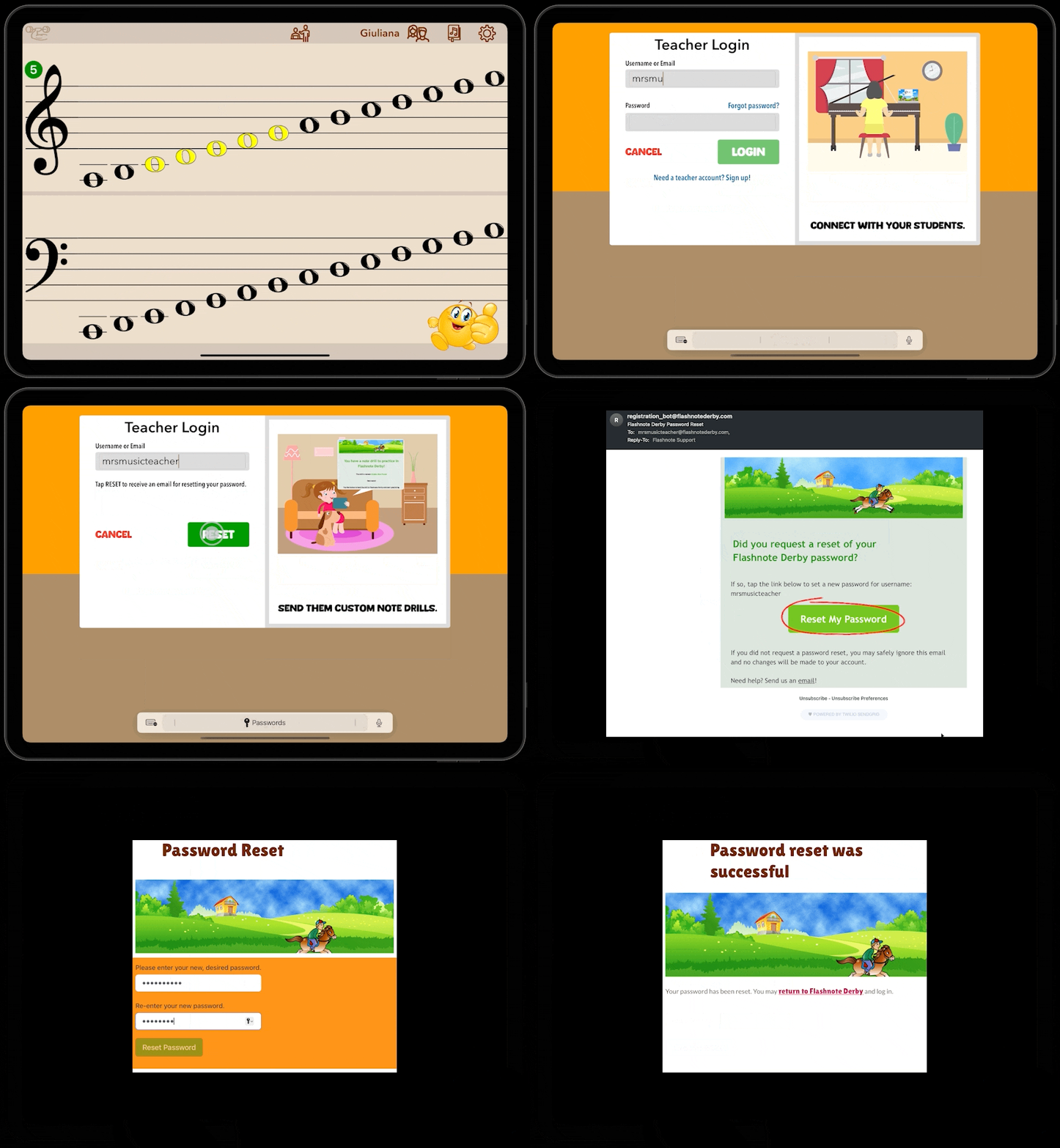
If you don’t remember your Flashnote Derby password, you may quickly reset it. You do this by requesting a special email be sent to the same email address you used when registering.
- Tap on the teacher services icon
 at the top of the main note choosing screen.
 - On the login screen, enter your Flashnote Derby username or email address.
- Tap Forgot Password?
- An email will be sent to you with the link to reset your password. Open the e-mail and tap on the link.
- A webpage will be opened on your device. Supply and confirm a new password.
- You can then return to Flashnote Derby and use this new password to log in to your account.