This documentation applies to the latest version of Flashnote Derby (version 4).
Android users and other users of earlier versions of Flashnote Derby should
look here for help.
Help Center
Practice Mode – Unlimited time to answer
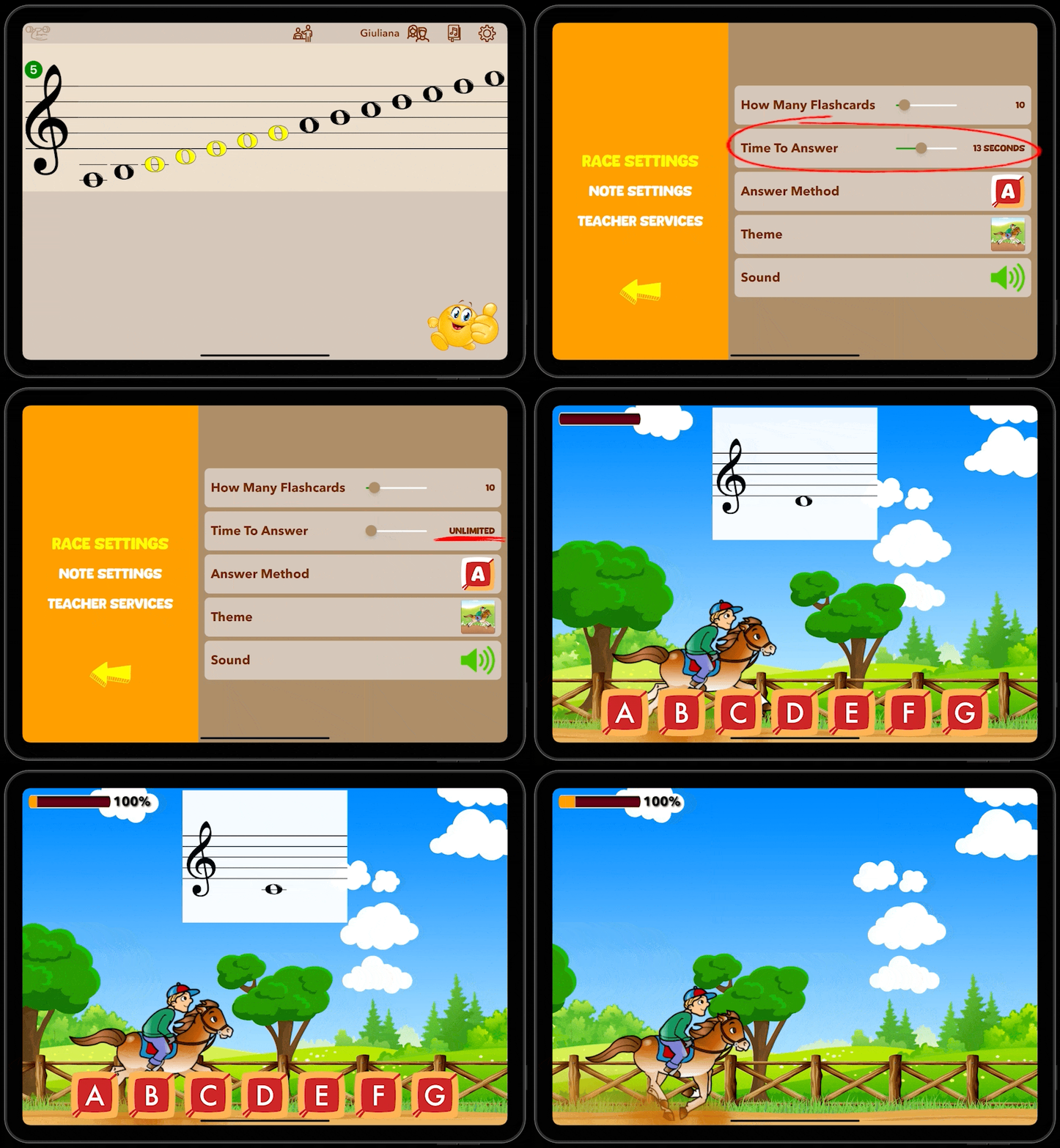
Practice mode provides a non-competitive environment where students have as much time as they need to answer each music note flashcard. You don’t win or lose in practice mode, you simply get a chance to practice.
Practice mode is automatically enabled when you set the Time to Answer to Unlimited.
- Start by tapping the settings icon in the upper-right corner of the main note choosing screen.
- In settings, find the section labeled Time to Answer and slide the slider all the way to the left until it displays Unlimited.
- Now when you start a race, the player will not be competing against anyone and will have unlimited time to answer each flashcard.