This documentation applies to the latest version of Flashnote Derby (version 4).
Android users and other users of earlier versions of Flashnote Derby should
look here for help.
Help Center
Enabling teacher services
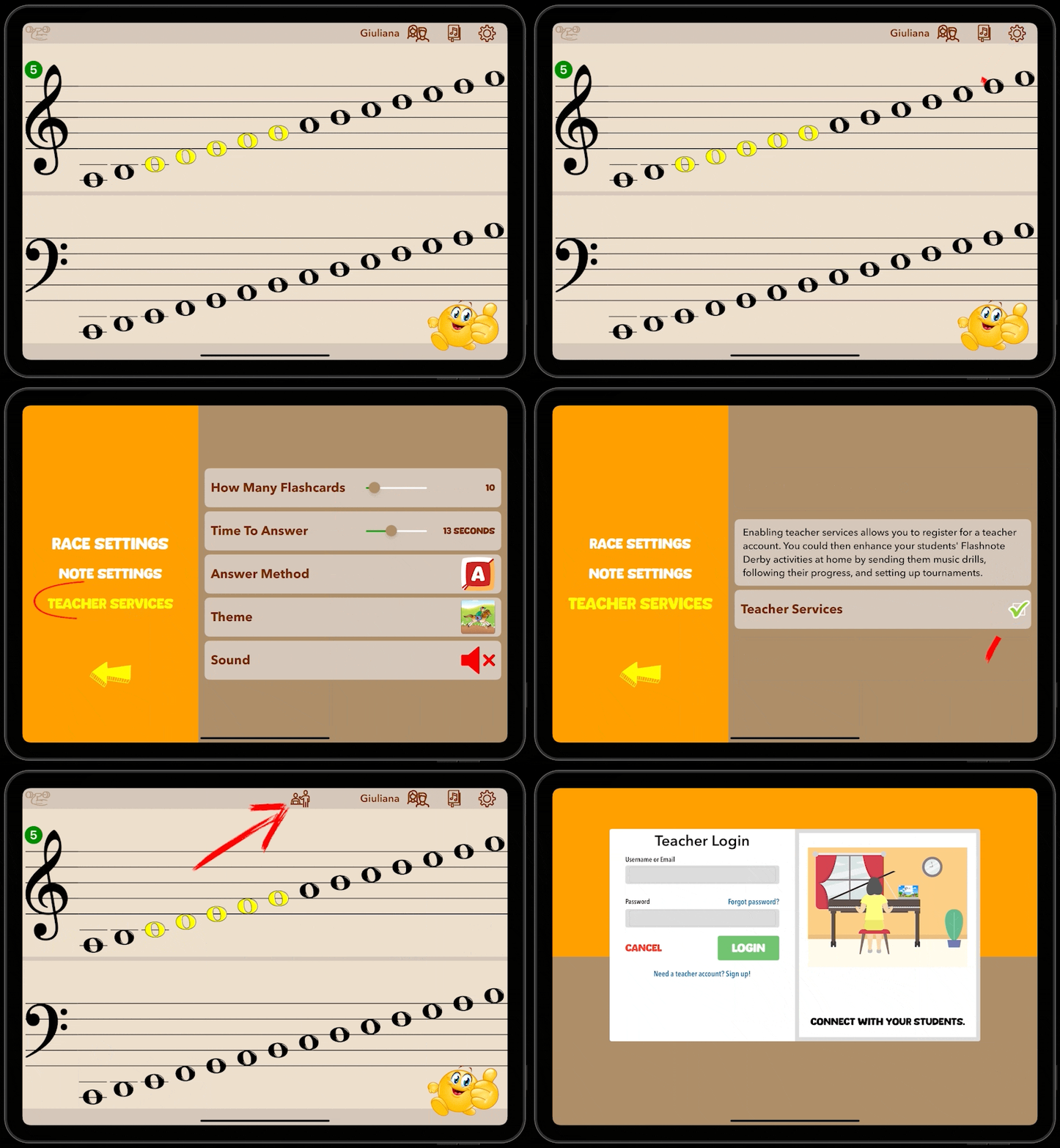
If you are a teacher and would like to access the teacher services that Flashnote Derby provides, but you don’t see the teacher services icon  at the top of the screen, you need to enable teacher services.
- Tap the settings icon
 in the top right corner of the screen.
 - Choose Teacher Services from the options on the left.
- Tap the box to put a checkmark in the option for Teacher Services.
- Tap the arrow to go back to the main note choosing screen and you will see the teacher services icon now appears at the top of the screen.