This documentation applies to the latest version of Flashnote Derby (version 4).
Android users and other users of earlier versions of Flashnote Derby should
look here for help.
Help Center
Answering flashcards by playing on a MIDI instrument
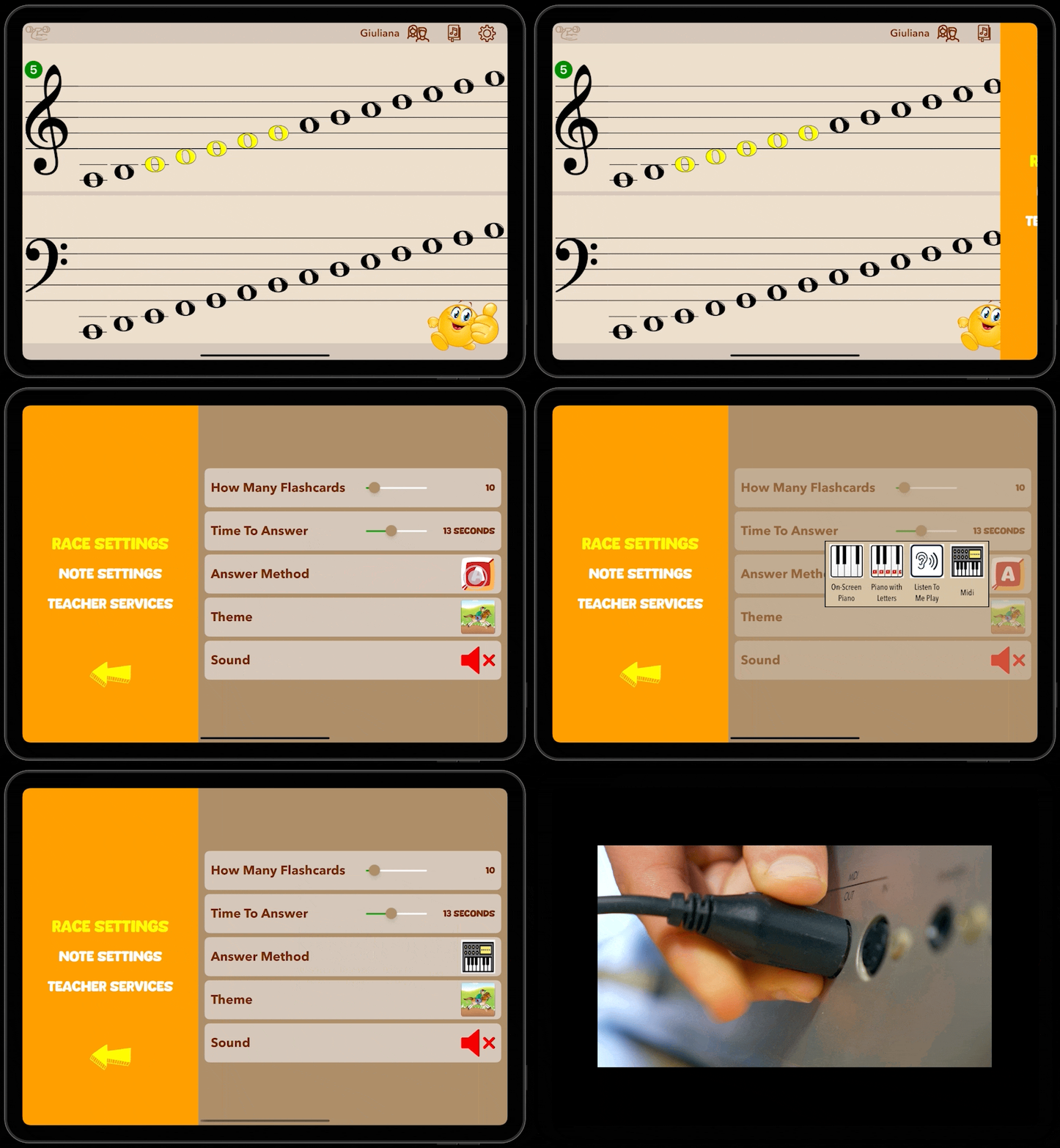
If you have a MIDI compatible instrument, you can connect it to your device and use it to respond to the flashcards. You will need an appropriate adapter to physically connect the device, as MIDI over bluetooth is not currently supported.
- Tap the settings icon
 in the upper right to open the settings pane.
 - Next to Answer Method, tap the icon representing the answer method you currently have selected.
- Tap MIDI
 so that Flashnote Derby will wait for you to play the correct note on your MIDI instrument.
 - Insure that your MIDI interface is connected correctly to your tablet or phone and that your MIDI instrument is connected correctly to your MIDI interface.