This documentation applies to the latest version of Flashnote Derby (version 4).
Android users and other users of earlier versions of Flashnote Derby should
look here for help.
Help Center
Creating users to track progress
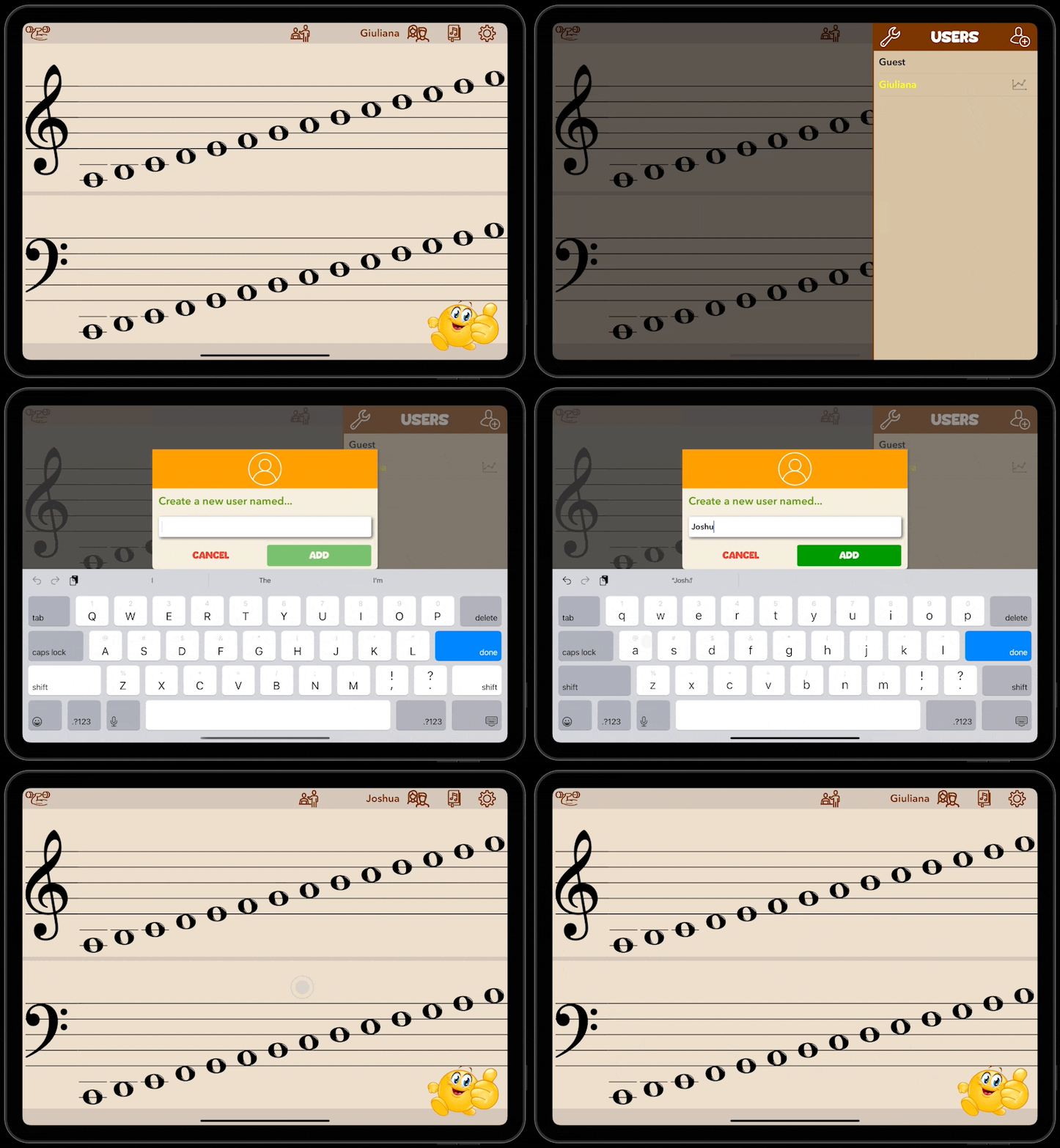
- Tap the Users icon at the top of the screen
- Tap the Add User icon to add a user.
- Enter a name or nickname for the user and tap OK.
- Return to the users menu whenever you need to change the user who is currently playing Flashnote Derby.