This documentation applies to the latest version of Flashnote Derby (version 4).
Android users and other users of earlier versions of Flashnote Derby should
look here for help.
Help Center
Changing the terminology for naming notes
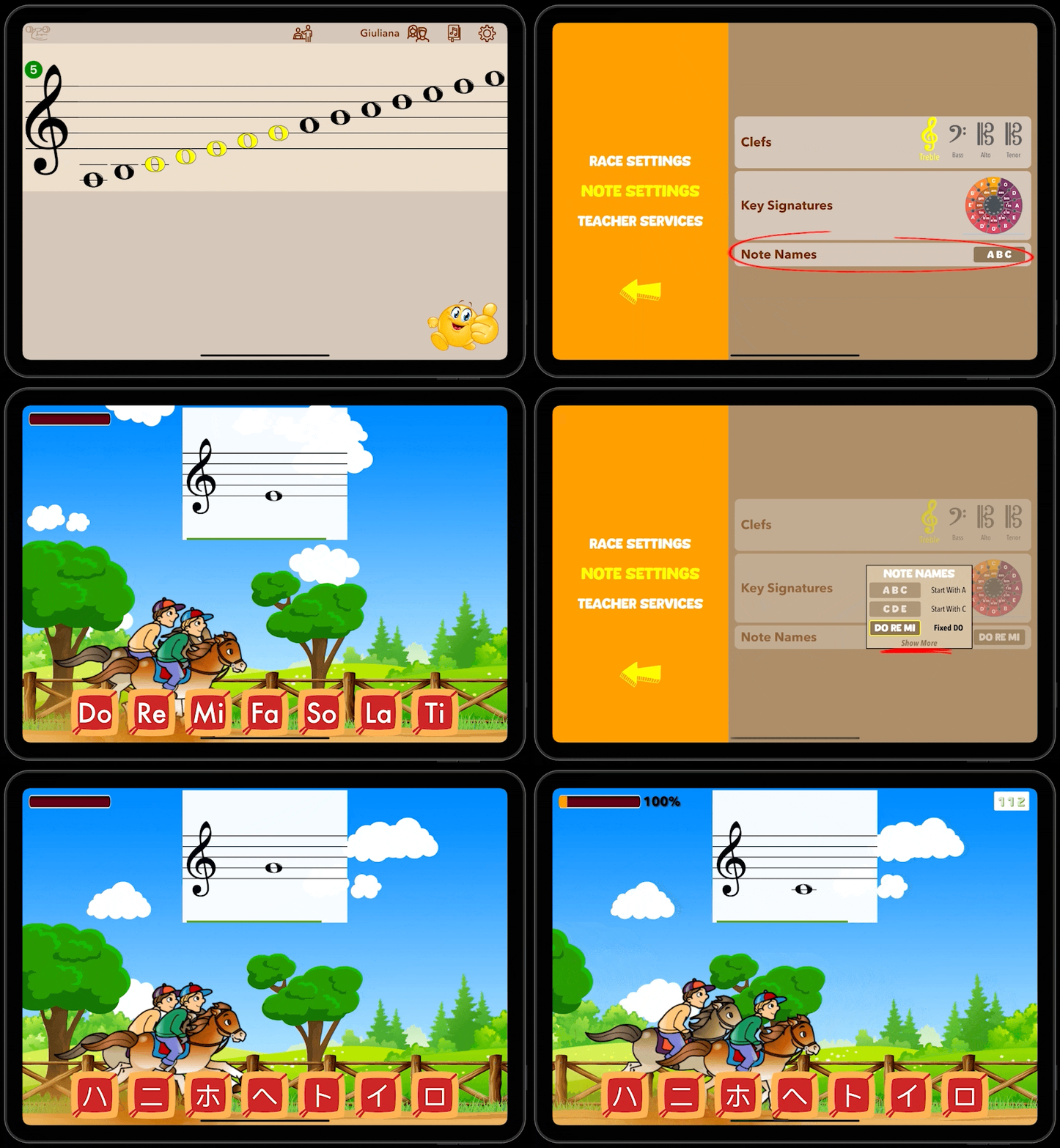
You can change the way Flashnote Derby refers to the names of notes.
- Tap the settings icon in the upper right corner of the main note-choosing screen.
- Switch to Note Settings by choosing it from the options on the left.
- Find the section Note Names and tap the icon representing the current selection.
- A list will appear showing the most common ways of naming the notes according to the language set on your device. Tap the one you wish to use.
- If you would like to see a complete list of all the ways that Flashnote Derby can refer to note names, tap Show More at the bottom of the list.