This documentation applies to the latest version of Flashnote Derby (version 4).
Android users and other users of earlier versions of Flashnote Derby should
look here for help.
Help Center
Accessing notes with many ledger lines
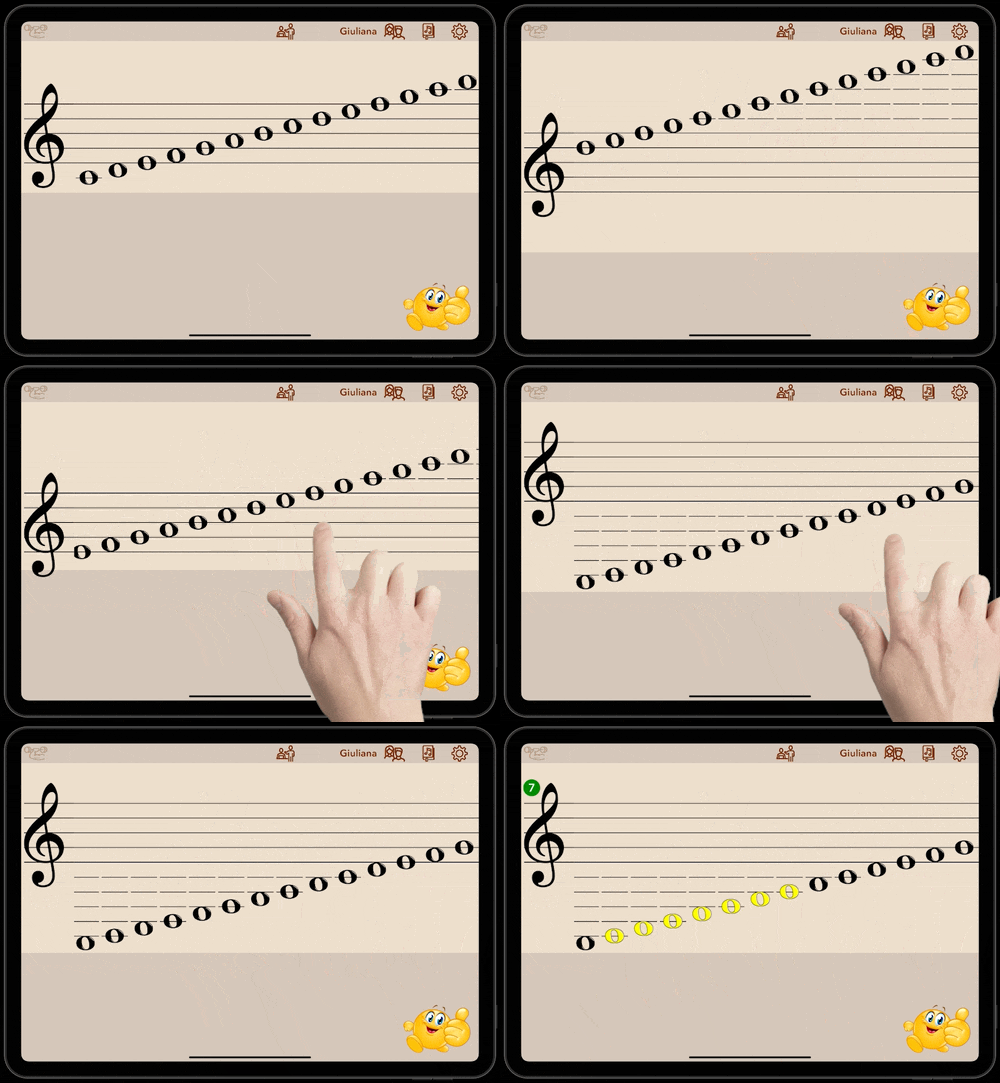
Flashnote Derby can’t show the entire range of notes that are available to practice on the screen at one time. But you do have the option of accessing notes with up to five ledger lines, above and below the staff.
Here’s how to access the extreme high and low ends of any staff.
- With your finger, tap and hold in any area of the staff, but NOT on top of a note. If your tap lands on a note, you will not scroll the staff, but instead select a range of notes.
- Holding your finger down, drag to the left or the right and the staff will scroll along with you.
- You can now select additional notes with many ledger lines.